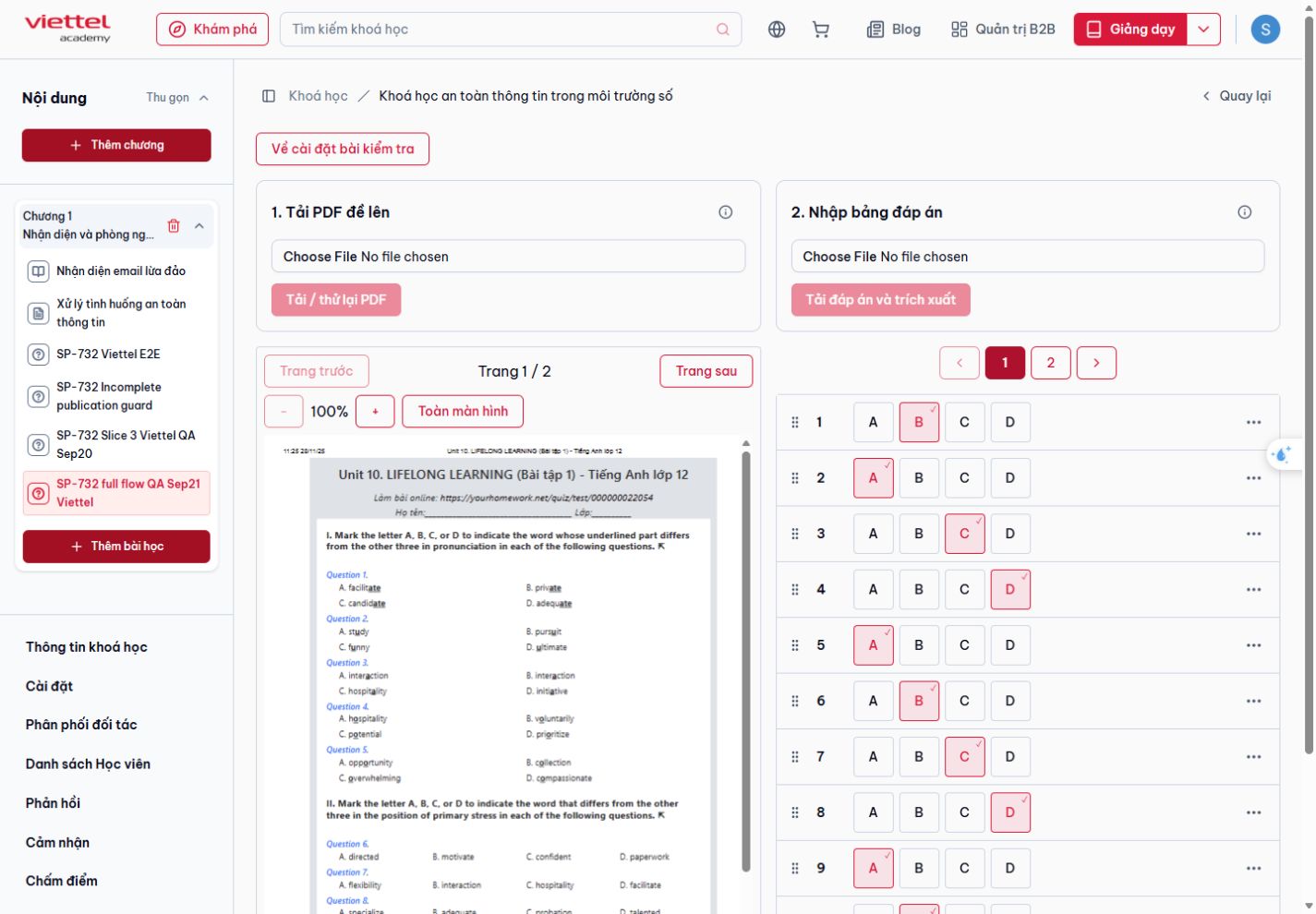
Default: fresh answer upload
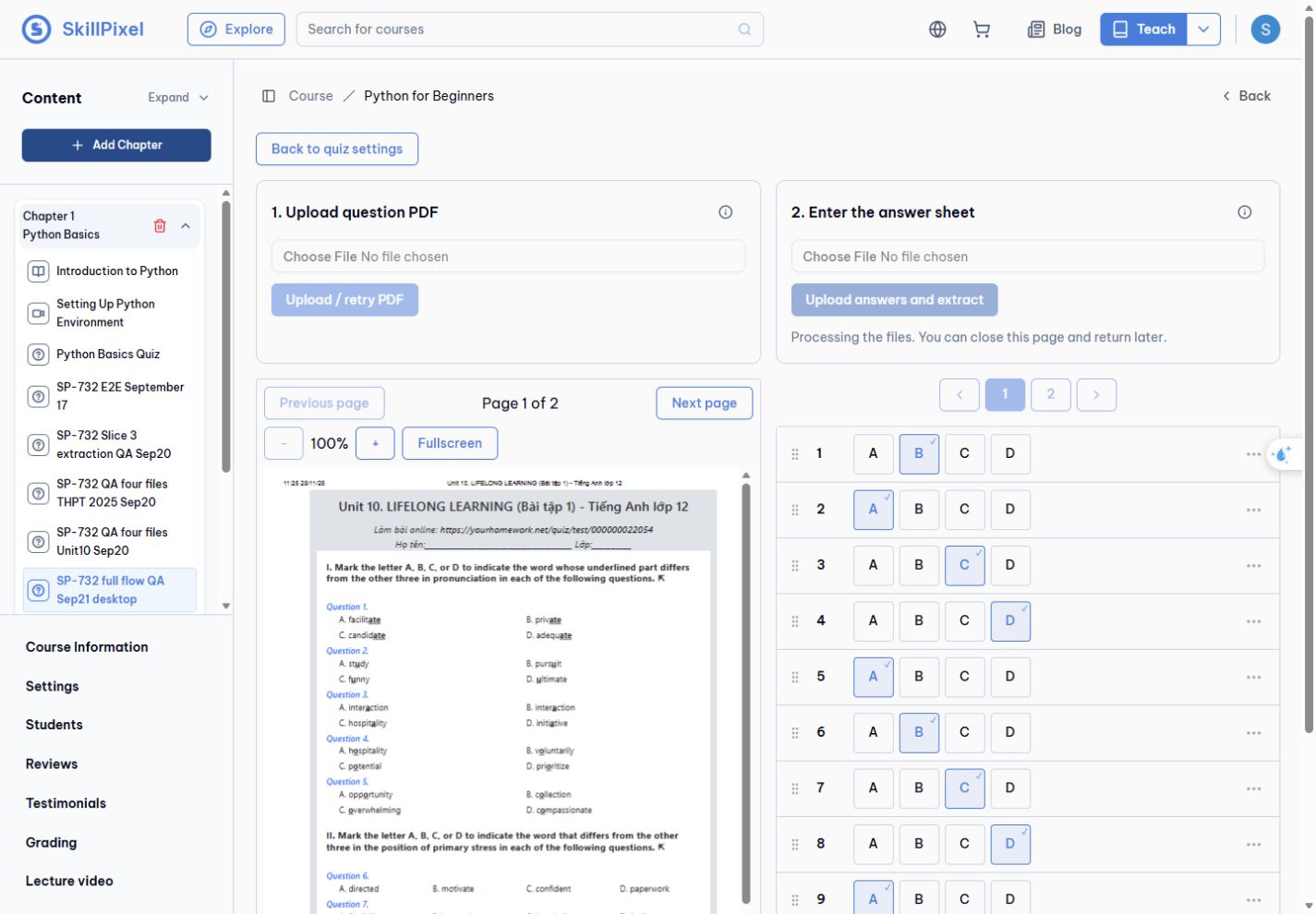
Gemini extraction starts after uploading answers.json. Processing status is inside the answer panel; there is no Retry extraction button.
Creation → separate uploads → AI extraction and manual correction → save → student answers → grading, with desktop and mobile screenshot evidence.
Updated 21 September 2026 · Edge and Chrome · local development · SP-732
Watch the complete local Document Quiz flow from instructor setup and answer review through the student attempt and grading result.
Default-tenant manual creation through student submission passed. All four answer types scored 100/100; a second desktop attempt with an incomplete multiple-choice answer scored 75/100. Viettel creation, uploads and manual save/reload also passed.
Fixed and verified: mobile question-number wrapping and final-row scrolling. Chrome reached question 40 by normal scrolling, and Viettel instructor labels stayed on one line at 360px. The latest student UI now uses 10 answers per page; page changes preserve selections and scroll position. Unanswered submission opens a confirmation. Mobile follow-up evidence.
AI follow-up passed: after the user authorized local setup, real Gemini extraction matched all 15 synthetic answers in both default and Viettel tenants. Save/reload persisted both lists. Local Document Quiz flags were already enabled; existing local Gemini configuration was applied only to the QA database and left enabled as requested. Original settings are backed up privately, with restoration and R2 cleanup recorded locally for beta handoff. Viettel student follow-up passed: the enrolled Chrome student account submitted all 15 AI-imported answers for 100/100. Refresh preserved selections; Retry opened with 0/15 answered. The student page had no horizontal overflow at 360px. The student account could not open the instructor editor (404 UI); later instructor-profile access succeeded. This is UI access evidence, not a direct API authorization audit.
Environment observation: the first default-tenant bootstrap was cancelled and fell back to built-in settings, hiding document mode. A normal reload restored the feature. This was observed once; root cause and repeatability were not established.
Known behavior: student responses survived refresh, but the timer reset. That is the existing behavior explicitly retained for this feature.
This report is not beta deployment approval. Earlier and follow-up runs are labeled separately; retained September 20 extraction evidence is included below and is not presented as a new rerun.
This scope summary was reviewed against implementation commit be6fe524 on 23 September 2026. Browser evidence below retains its original capture date.
Four-file extraction evaluation — PASS, 20 September 2026. Retained service results confirm 145/145 question structures and 40/40 THPT answer-key matches. The remaining 105 answers correctly stayed blank because those three PDFs contain no explicit key.
One live extraction service run per file using gemini-flash-latest. GUI coverage was 2 of 4 files. This is retained September 20 evidence, not a repeated reliability benchmark. Original detailed comparison report.
How files become saved quiz answers. This diagram reflects the current implementation.
R2 stores the file bytes. PostgreSQL stores file metadata, pending upload, job ID, status, error and answer draft.
idle / ready / failed → processing → ready | failed. The same status covers PDF validation and AI extraction, including re-upload after a ready or failed run. Ready does not mean answers have been reviewed or saved.
Short database locks protect mutations. Only the current, unexpired job can apply its result. Students receive the question PDF and answer controls; the answer source and AI draft are instructor-only.
PASS — Fresh answer-file uploads through the current local UI on default and Viettel tenants. Both Gemini previews matched 15/15 synthetic answers and persisted after Save and reload. Desktop and 360px layouts checked. No console errors recorded. Gemini remains enabled locally for QA; cleanup is tracked privately.
This retest covers the Unit 10 question PDF plus the supplied synthetic answers.json, not a new four-PDF educational accuracy evaluation.
Gemini extraction starts after uploading answers.json. Processing status is inside the answer panel; there is no Retry extraction button.
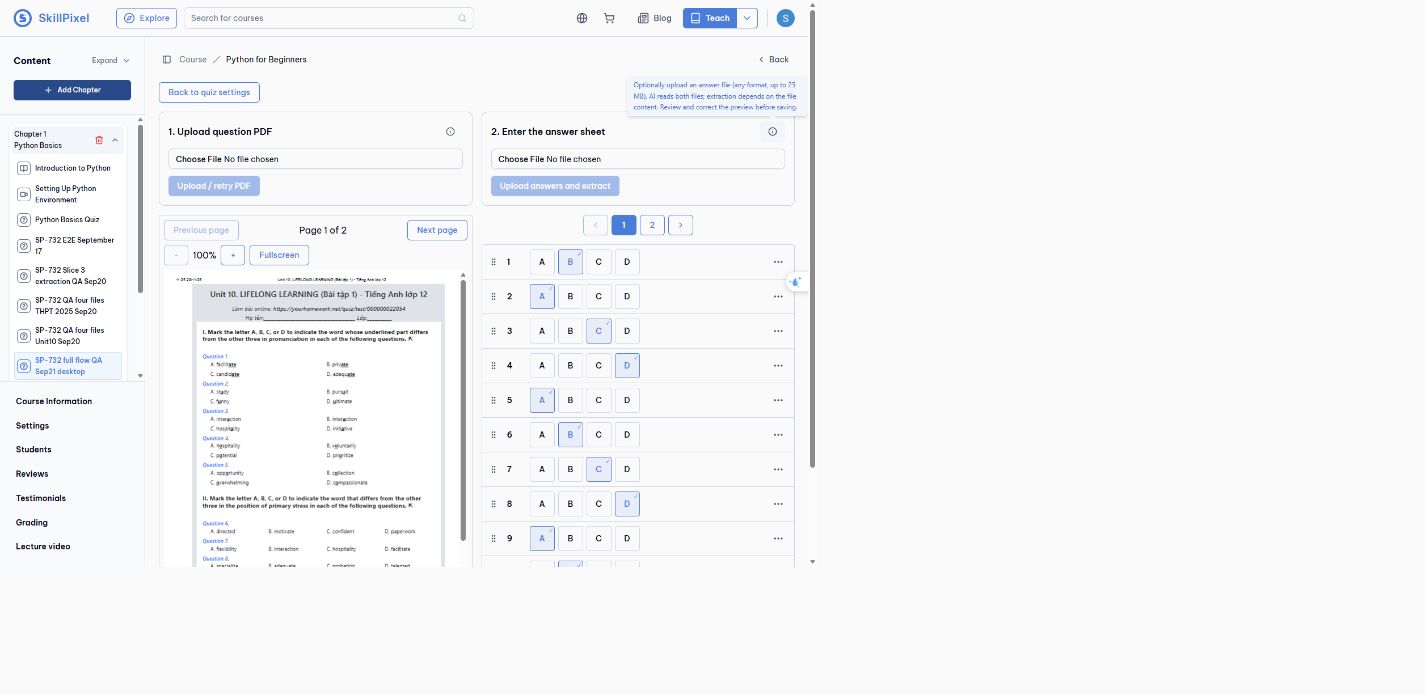
Compared both pages against the synthetic JSON key: B A C D A B C D A B C D A B C.
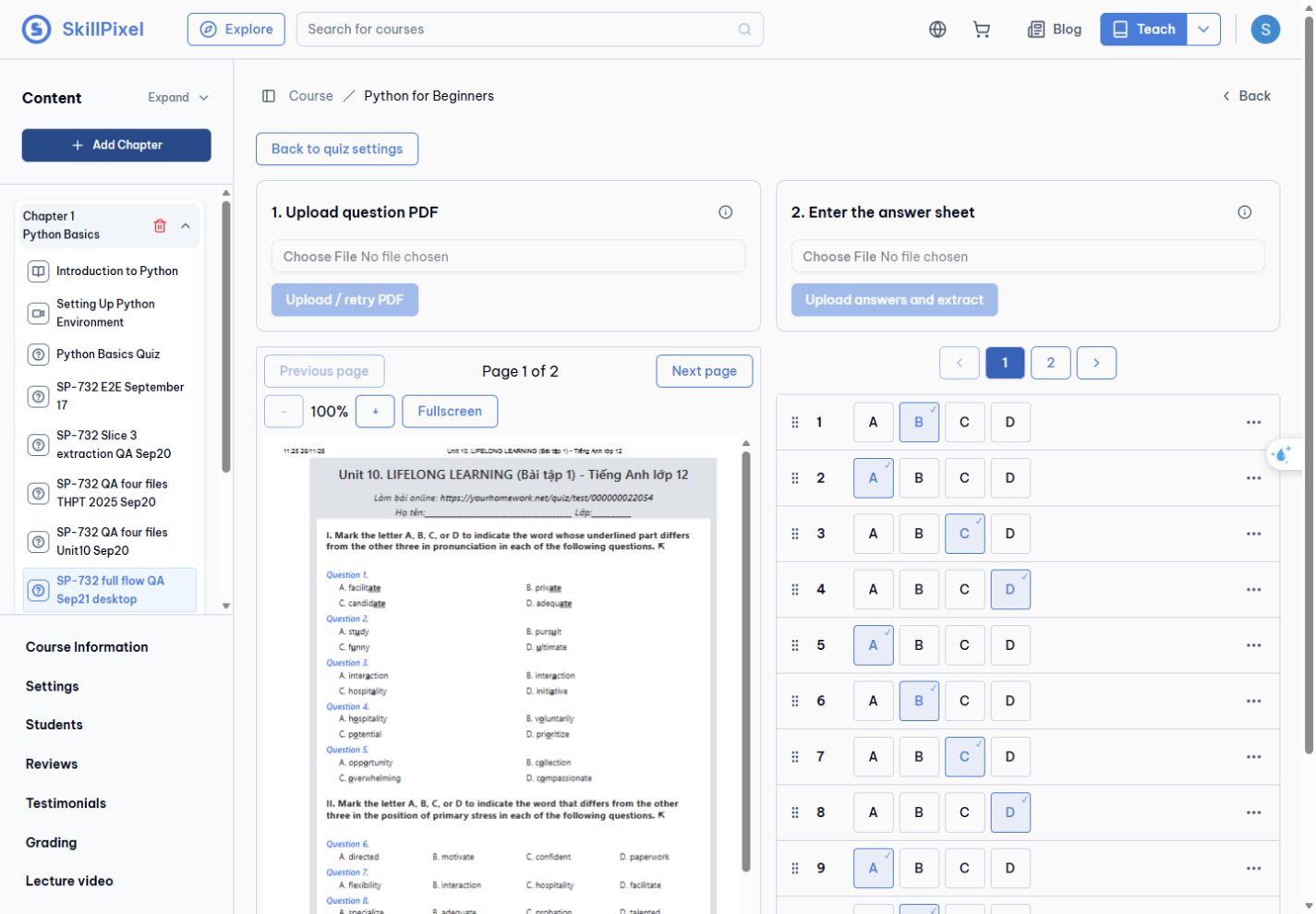
Save completed; reopening retained all 15 answers.
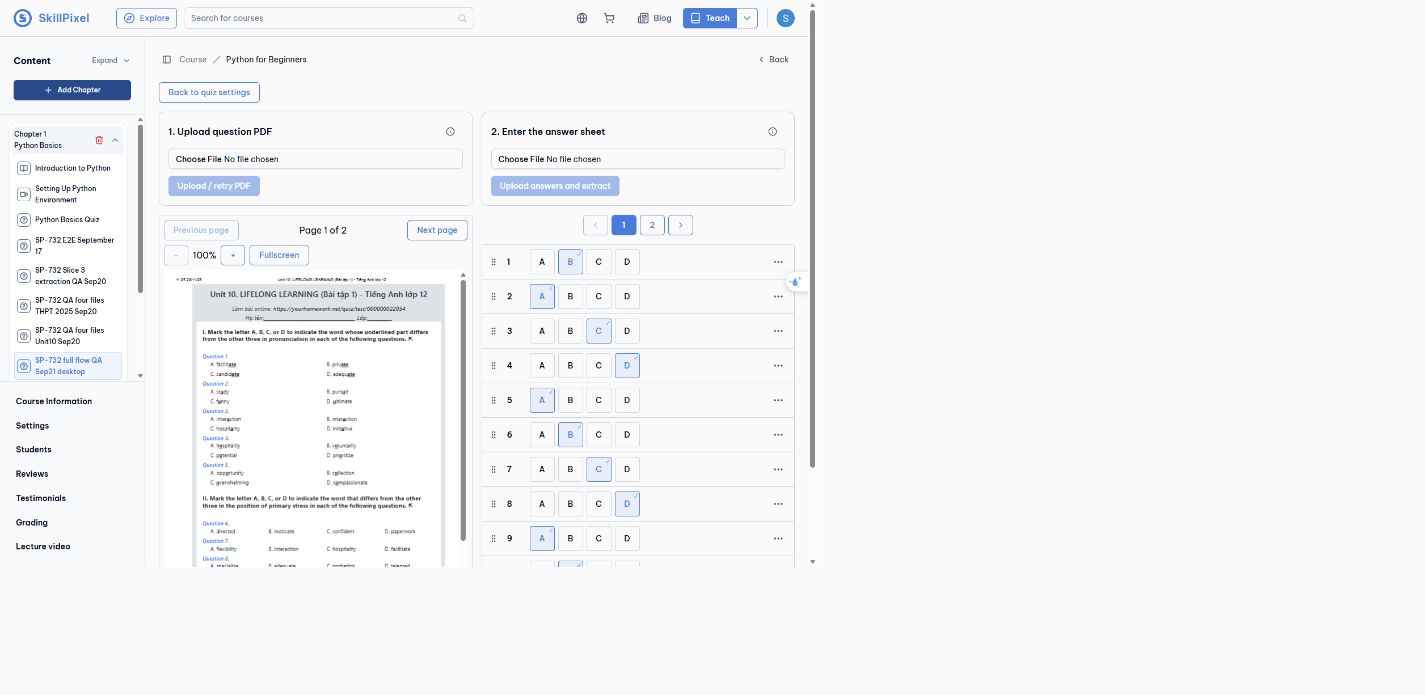
The upload fields align horizontally. Long guidance appears only in the info tooltip.
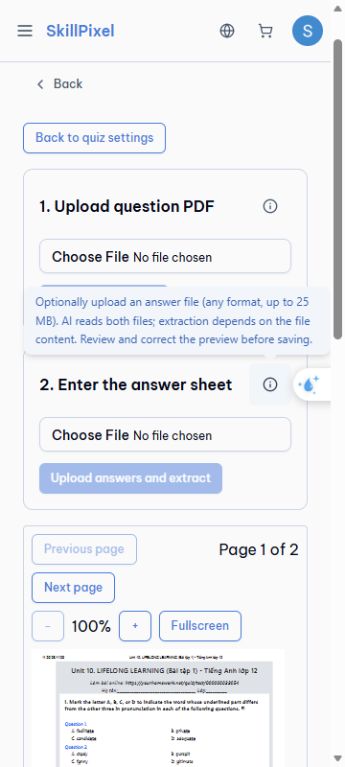
At 360px, upload panels stack and the info tooltip opens by tap.
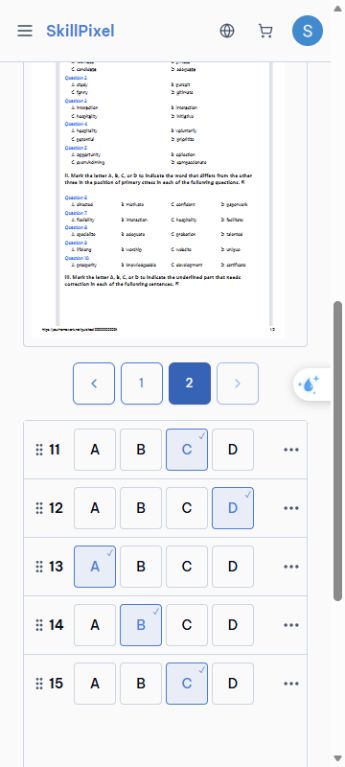
Saved answers 11–15 are reachable through page 2.
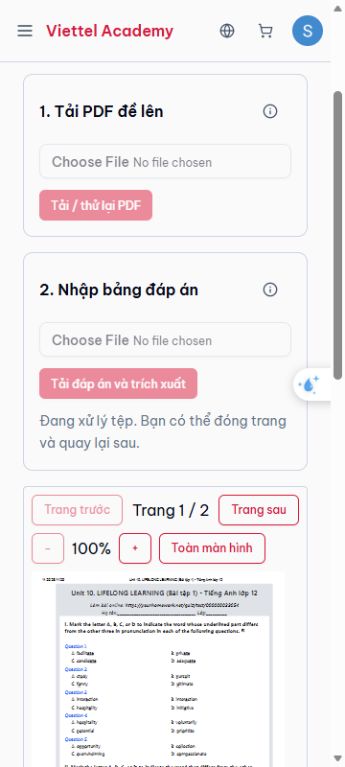
A new JSON upload starts extraction. The upload button shows the localized processing state.
Both answer pages match the same synthetic QA key.
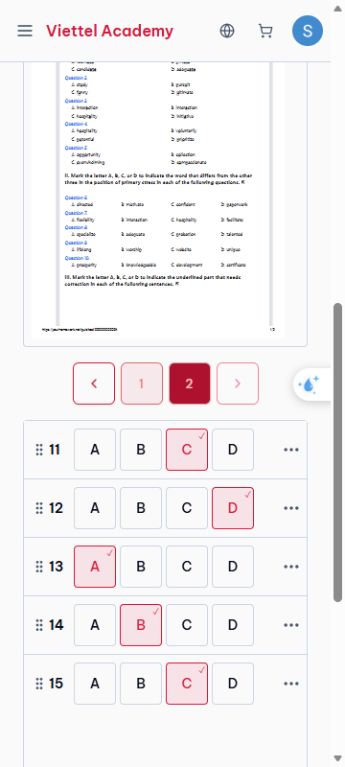
The saved final answer page remains after reload; document width is 345px in a 360px viewport.
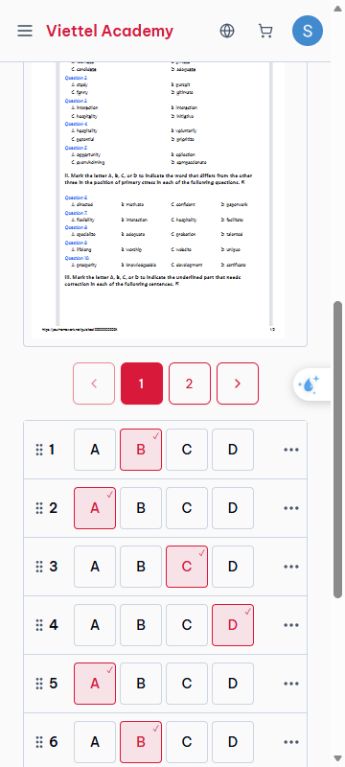
Aligned upload fields and numbered answer pages, with no extraction retry action.